


Learning in Action
Take a peek into our coding classes, where children learn, code, and create.

Exploring ScratchJr
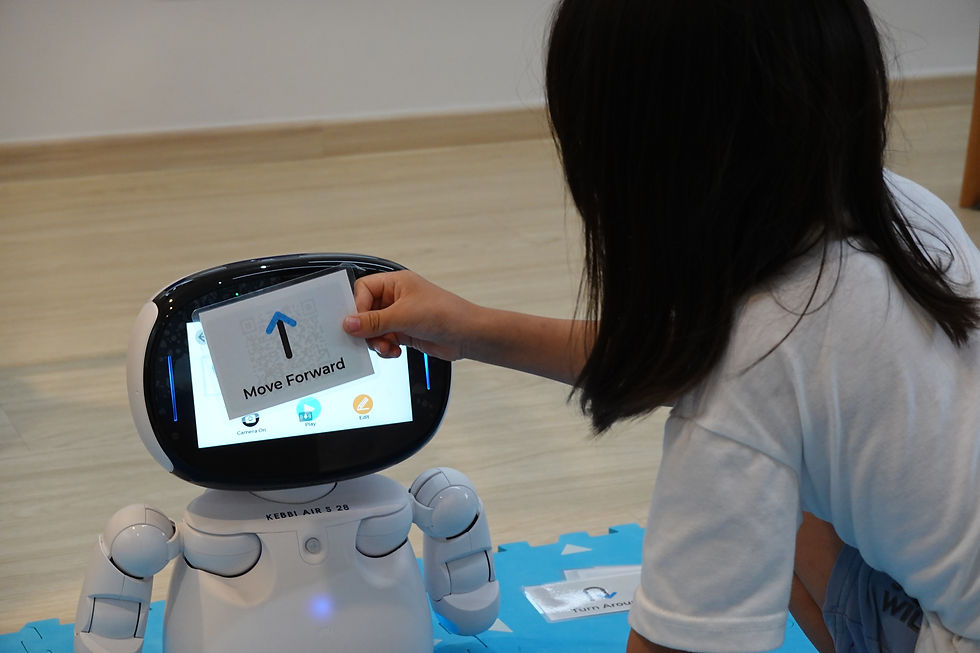
Scan-to-Code

Exploring Sequencing

Coding with Kebbi

Drag-and-drop blocks


Our Courses
Explore our coding courses for ages 5 to 6

$250
per course

5 lessons
1 hour per lesson

e-Certificate
upon completion

1:6
Teacher-Student ratio

MOE Registered Teachers
Quality Teaching Experience
Why Choose Lyza Education

Our Emphasis
Helping children build future-ready skills through hands-on learning
Artificial Intelligence (AI)
Prepare for an AI-powered future
As AI becomes more prevalent, our curriculum helps children understand how it works through hands-on projects using tools like ChatGPT.
Coding
Build skills beyond programming
Our structured curriculum helps children build coding skills step by step while developing problem-solving, creativity and logical thinking.
Internet of Things (IoT)
Understand how technology connects
Through hands-on projects with Kebbi, sensors and microcontrollers, children learn how smart devices connect and work together in everyday life.
Our Learning Platform
Meet LumoLearn, an all-in-one platform that helps students learn and create while keeping parents updated on their progress.

For Parents
Stay informed and connected with your child’s learning journey, all in one place.
Track Lesson Progress
View ongoing and completed classes at a glance
View Lesson Summaries
Find out what your child learned in each lesson
Access Evaluations and Achievement
View end-of-course feedback, certificates and awards


Why Parents Choose Us
Hear what parents have to say about their experience with us